Tasks (Production Tracking)
The Tasks tab gives you a live view of production across your shop — which orders are on track, which are delayed, and what needs attention today.
Tap Tasks in the bottom navigation bar.
Task Views
| Tab | What it shows |
|---|---|
| Active | All tasks currently in progress |
| Delayed | Tasks that have passed their due date |
| Due Today | Tasks that are due to be completed today |
| Due Tomorrow | Tasks due the next day |
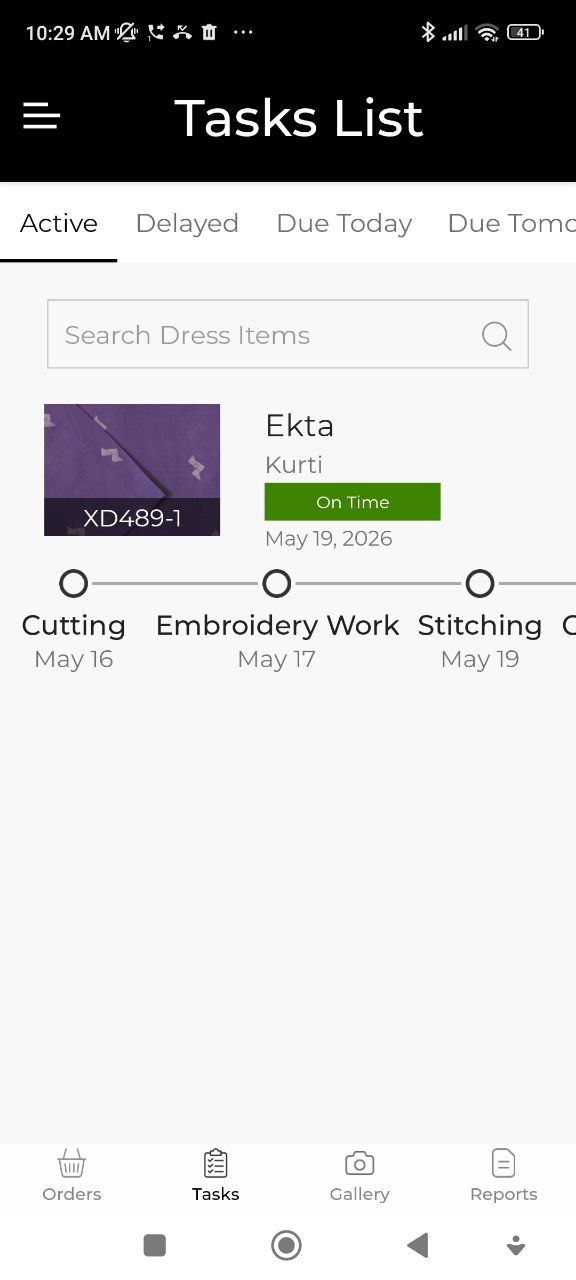
Reading the Task Timeline
Each order item appears as a visual timeline showing the production stages and their status. You can see at a glance which step an item is at and whether it's on schedule.
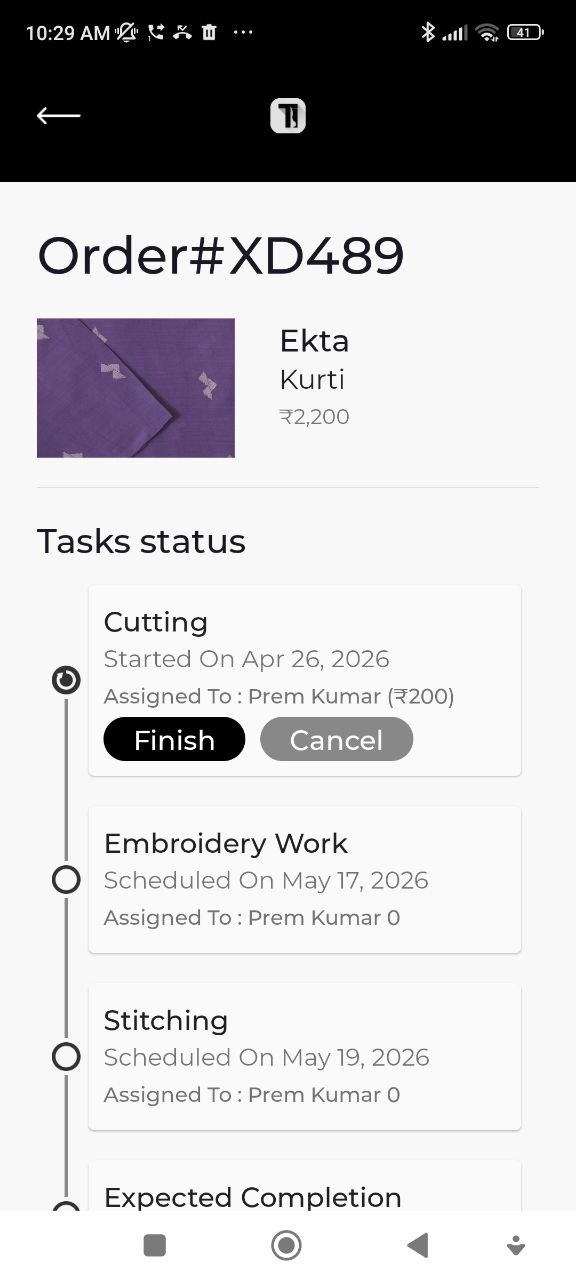
Start, Finish, or Cancel a Task
For each task item you can:
- Tap Start — marks the task as in progress and records the start time
- Tap Finish — marks the task complete and records completion time
- Tap Cancel — removes the task from the active queue
Setting Up Production Tasks
The types of tasks available (e.g., Cutting, Stitching, Finishing) are configured in Administration → Tasks.
Each task type can have an estimated duration, which is used to calculate due dates and flag delays.
See Administration for how to add and configure task types.
Check the Delayed and Due Today tabs every morning to plan your day and make sure nothing is slipping.